Quote planner help

How to use the privacy fence planner

This guide walks through the Green Fence Texas quote planner step by step. You do not need to be a mapping expert โ€” draw your best approximation and our team will review your plan before final approval.

Video guideCaptioned guide

Planner walkthrough video

Captioned walkthrough using an example Allen, TX side-yard quote โ€” or scroll down for the step-by-step guide with screenshots.

Captioned walkthrough using an example Allen, TX side-yard quote. No voiceover is included yet.
  • Enter your address and center the map
  • Draw privacy lines and review plant markers
  • Compare 3-gallon, 5-gallon, and 15-gallon container sizes
  • Submit your estimate for team review

Ready to start now? Scroll down for the step-by-step written guide with screenshots.

The planner is designed to be flexible โ€” draw your best approximation and our team will review your submitted plan before final approval. Estimated total pending final review. Your final quote will be reviewed by our team before approval.

Step-by-step guide

Follow these seven steps from address entry through estimate submission.

1

Enter your property address

Start with where the privacy screening will be installed.

  • โœ“Enter your street address on the quote start page.
  • โœ“Use current location on your phone if that is easier โ€” you can fine-tune the map afterward.
  • โœ“The map centers on your property so you can draw your privacy line in the right place.

Tip: Double-check the pin is on your lot, not a neighbor's property.

Green Fence Texas ยท Quote plannerStep 1
Quote start โ€” 705 Scarlett Dr, Allen, TX 75002
2

Choose your privacy goal

Think about what you are trying to screen.

  • โœ“Example goal: Side-yard screen. Common options also include pool privacy, road screening, and neighbor views.
  • โœ“Select the options that best describe your project โ€” this helps our team understand your layout during review.
  • โœ“You can still map multiple areas even if you have more than one goal.
Green Fence Texas ยท Quote plannerStep 2
Privacy goal โ€” Side-yard screen
3

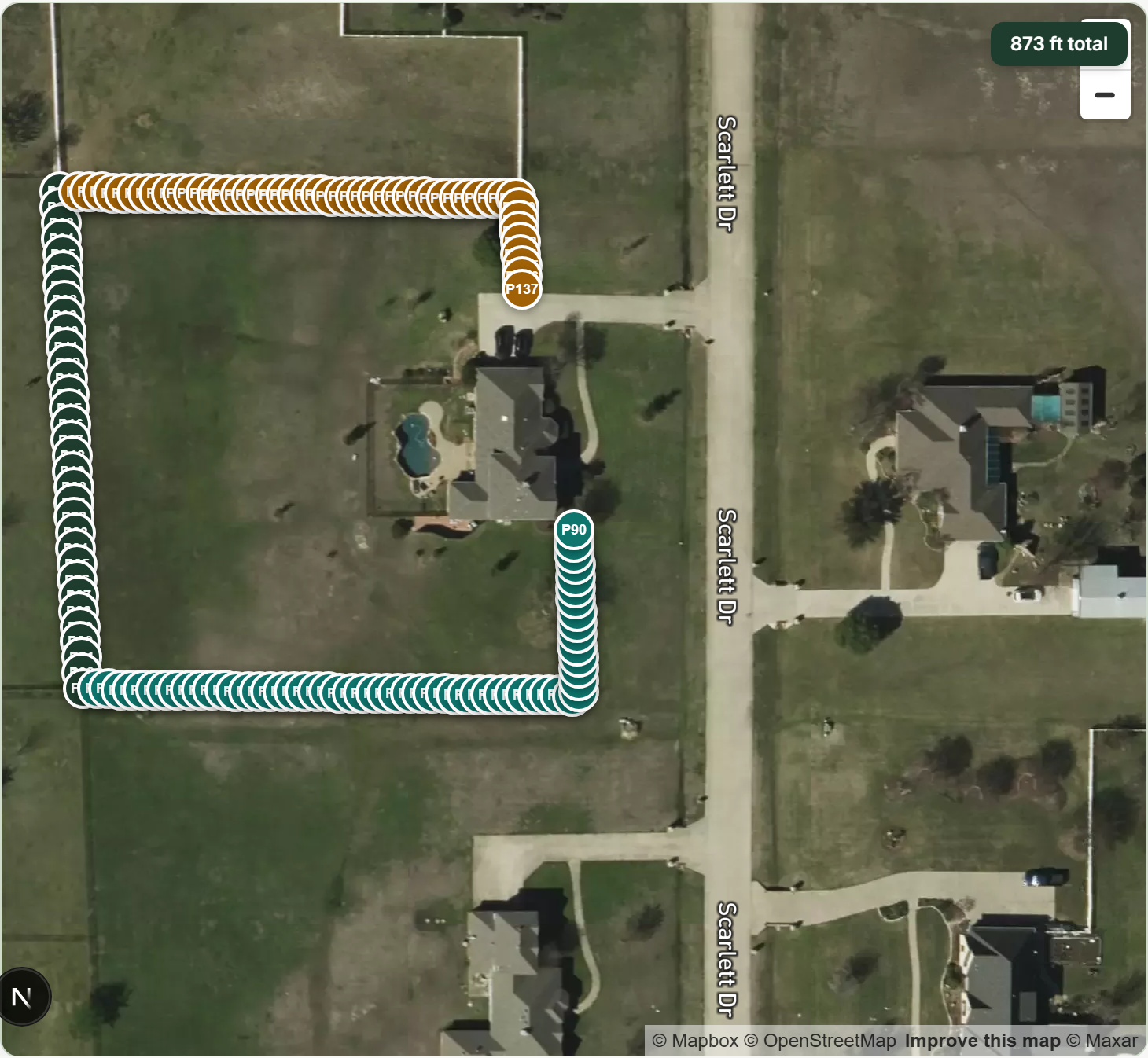
Draw your privacy line or zone on the map

Mark where you want your living privacy fence.

  • โœ“Tap to start drawing along the property line, fence, or area you want to screen.
  • โœ“You do not need survey-perfect measurements โ€” approximate lines are fine to start.
  • โœ“Draw multiple segments if you have separate areas (for example, a side yard and a back property line).
  • โœ“Adjust or redraw lines until the layout looks right.

Tip: Zoom in on the satellite view for better accuracy along tight side yards.

Green Fence Texas ยท Quote plannerStep 3
Satellite map โ€” 3 privacy segments along your property
4

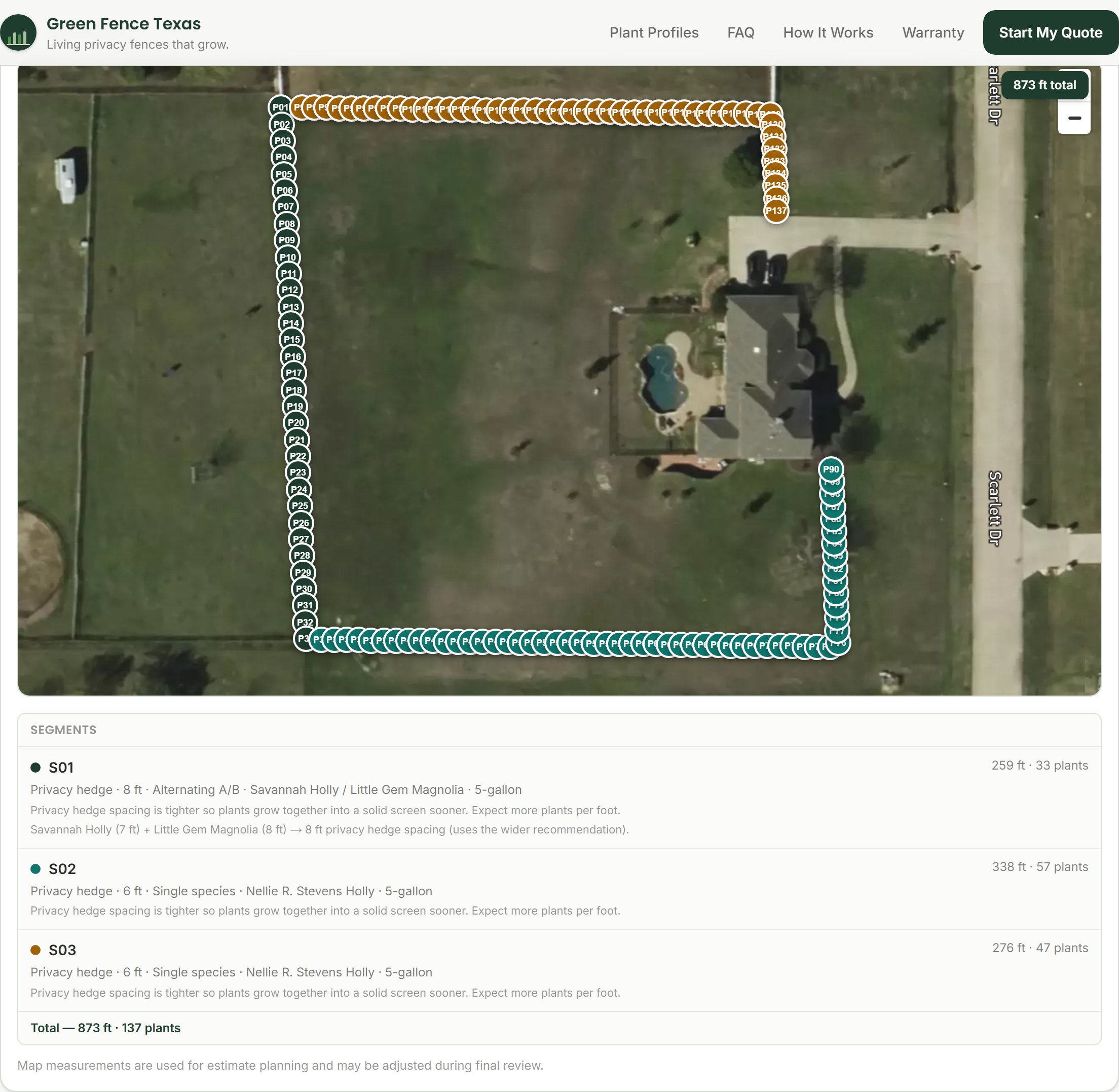
Review automatically placed plants

The planner places plant markers along your line.

  • โœ“Plants appear along your drawn boundary with spacing based on your settings.
  • โœ“Each marker is labeled so you can tap and customize individual positions.
  • โœ“Total linear feet and plant count update as you adjust the line or spacing.
Green Fence Texas ยท Quote plannerStep 4
Plant markers along 873 ft ยท 137 plants total
5

Customize your plan

Choose species, sizes, and spacing that fit your budget and timeline.

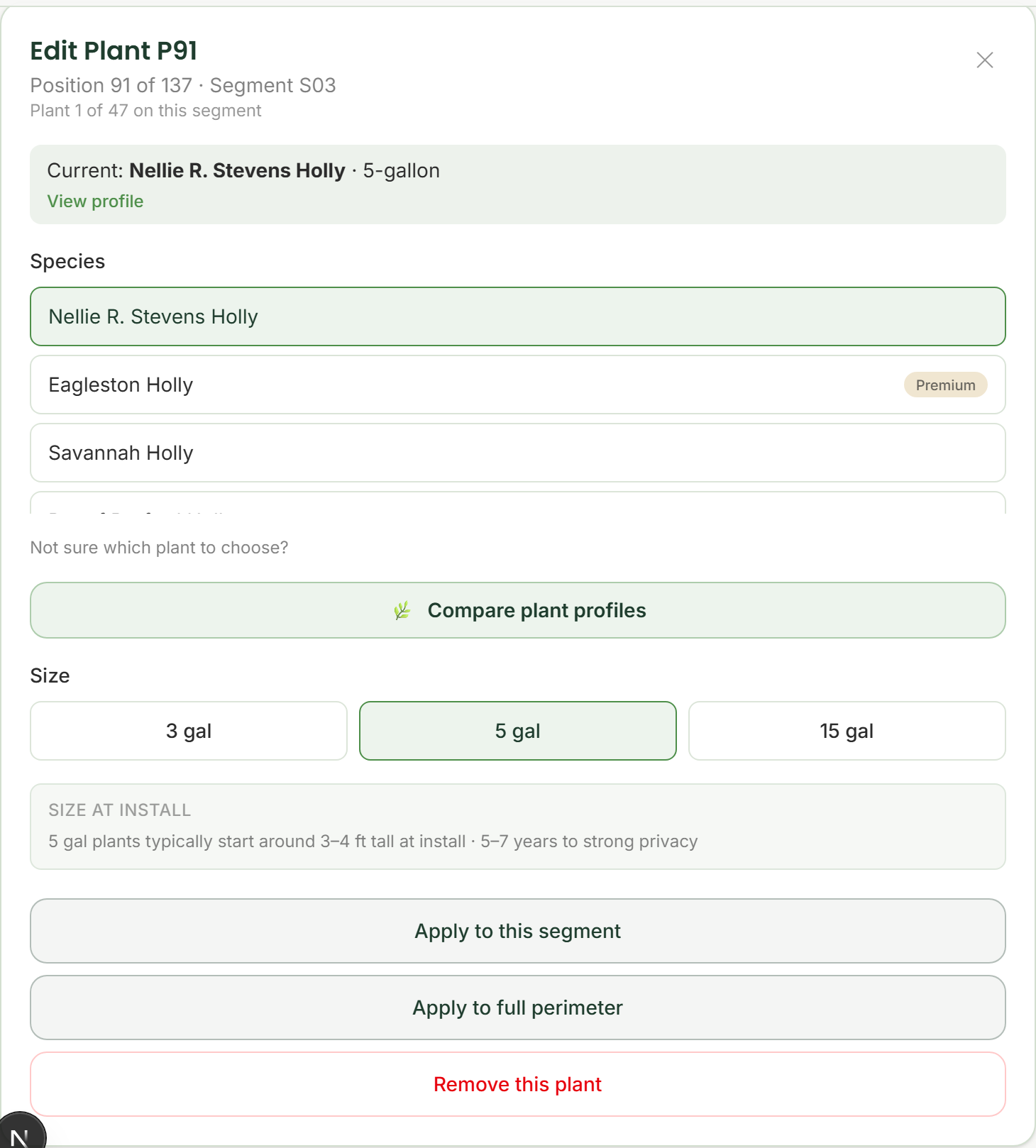
  • โœ“Tap a plant marker to change species or switch between 3-gallon, 5-gallon, and 15-gallon container sizes.
  • โœ“Container sizes are size classes โ€” not exact guaranteed dimensions at planting.
  • โœ“Compare affordable starter options versus larger fast-start sizes.
  • โœ“Apply changes to one plant, a full segment, or the entire perimeter where supported.

Tip: View plant profiles to compare evergreen options before you choose.

Green Fence Texas ยท Quote plannerStep 5
Plant editor โ€” Savannah Holly & Nellie R. Stevens Holly ยท 5-gallon container size
6

Add project details and notes

Help our team understand access and site conditions.

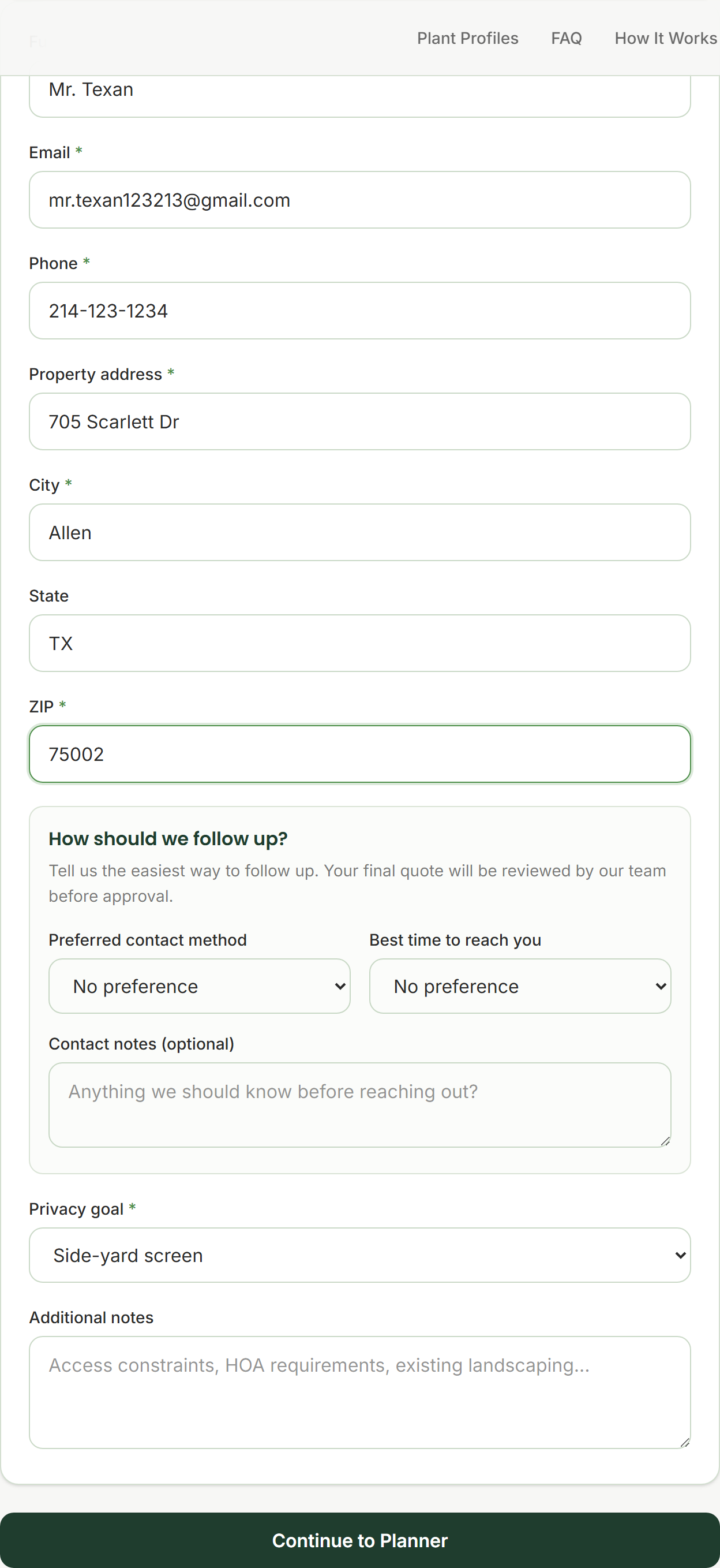
  • โœ“Confirm your property address and contact preferences so our team can follow up.
  • โœ“Add notes about gates, slopes, narrow side yards, or access constraints.
  • โœ“Clear notes reduce back-and-forth and help us refine your final quote.
Green Fence Texas ยท Quote plannerStep 6
Property details โ€” 705 Scarlett Dr, Allen, TX (example quote)
7

Review your estimate and submit

Submit for team review โ€” not instant checkout.

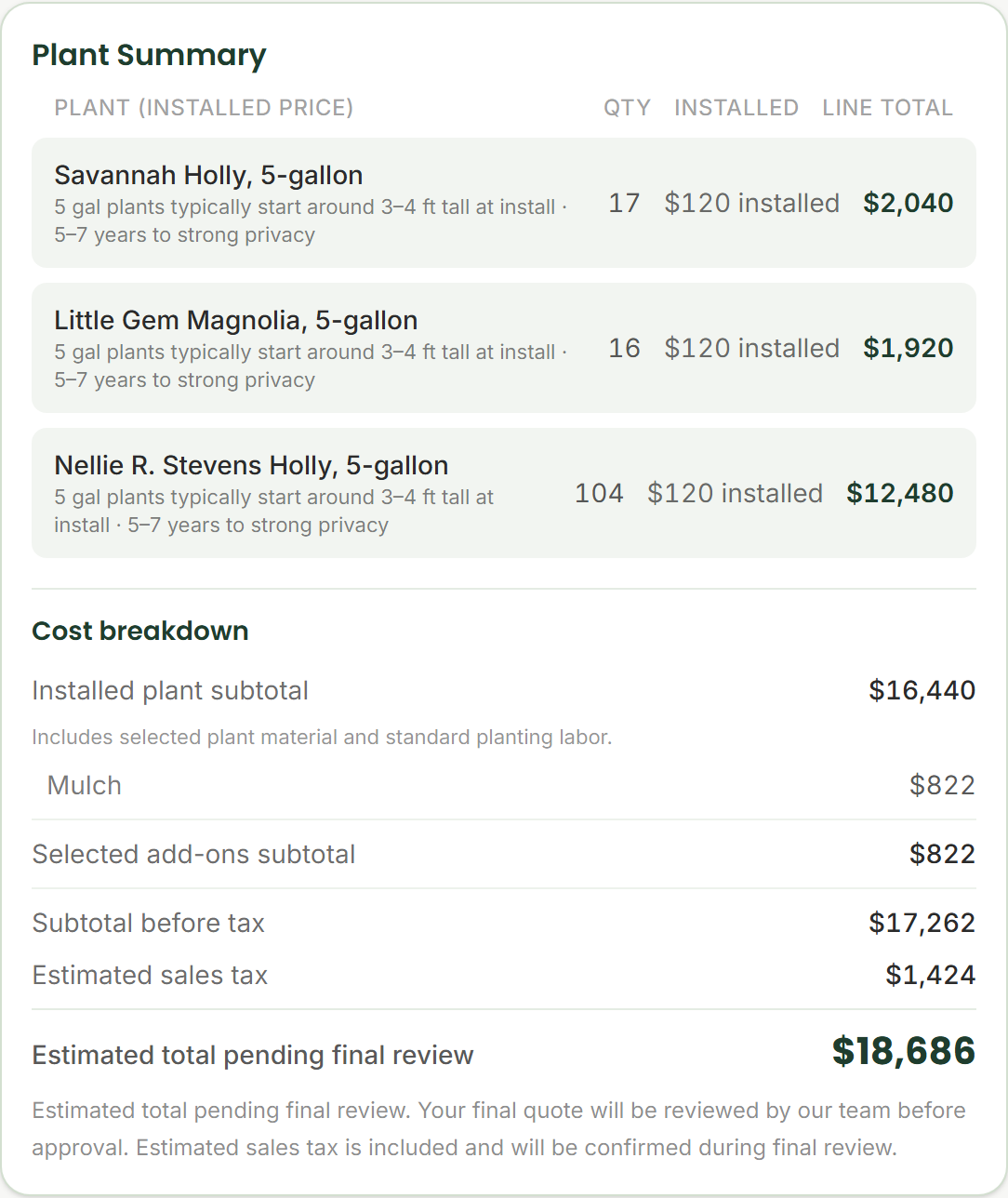
  • โœ“Review your estimated total, plant list, and project summary.
  • โœ“Estimated total pending final review. Your final quote will be reviewed by our team before approval.
  • โœ“Submit when you are ready. We follow up with questions or a final quote for your approval.
Green Fence Texas ยท Quote plannerStep 7
Estimate summary โ€” estimated total pending final review

Ready to try it?

Map your privacy line, customize plants and spacing, and submit for a reviewed quote. Your final quote will be reviewed by our team before approval.